The Ultimate Guide to Wireless CarPlay: How to Choose the Right Adapter for Your Car

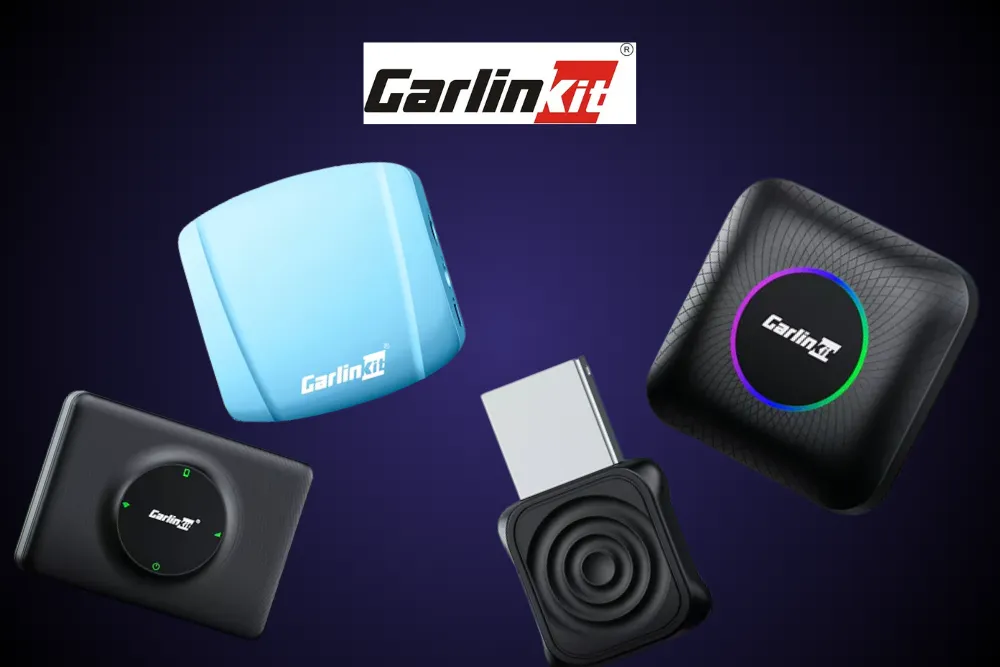
Modern cars are smarter than ever, but many drivers still find themselves tethered to the dashboard by a white USB cable. While Apple CarPlay has revolutionized how we interact with our vehicles, the requirement for a physical connection often feels like a step backward in our wireless world. Why fumble with cords when everything else in your life connects automatically? This ultimate guide to wireless CarPlay explains how the technology works, why it’s worth the upgrade, and how to choose the right adapter to future-proof your driving experience.
If you are tired of damaged cables or simply want a cleaner dashboard, you aren't alone. Wireless connectivity is the new standard for in-car convenience. By understanding the technology and knowing what to look for, you can seamlessly integrate your iPhone with your vehicle's infotainment system, ensuring your maps, music, and messages are always ready the moment you start your engine.
Understanding Wireless CarPlay Technology
To make an informed decision, it helps to understand what is happening behind the scenes. Standard wired CarPlay transmits data solely through a USB cable. It charges your phone while sending the video and audio signal to your car's screen.
Wireless CarPlay achieves the same result using a two-step communication process:
- Bluetooth Handshake: When you start your car, the adapter uses Bluetooth to detect your phone and initiate the connection.
- Wi-Fi Transmission: Once the handshake is complete, the system hands off the heavy lifting to a closed Wi-Fi network (typically 5GHz or 5.8GHz). Wi-Fi is required because Bluetooth alone does not have the bandwidth to support high-quality audio and real-time video map data simultaneously.
This dual-protocol approach ensures that the connection is robust enough to handle data-heavy apps like Spotify and Waze without buffering, providing a user experience that is virtually indistinguishable from a wired connection.
Why Upgrade from Wired to Wireless?
The shift to wireless isn't just about being tech-savvy; it offers practical benefits that improve your daily commute.
- Convenience: The most obvious benefit is the "get in and go" factor. You don't need to take your phone out of your pocket or purse. The system connects automatically, often before you've even buckled your seatbelt.
- Reduced Wear and Tear: Constantly plugging and unplugging your Lightning or USB-C cable puts stress on your phone's charging port. Going wireless preserves the physical integrity of your device.
- Decluttered Cabin: Eliminating the cable removes visual clutter from your center console. It keeps your dashboard looking sleek and prevents cables from interfering with gear shifters or cup holders.
- Charging Flexibility: With a wireless adapter, your charging port remains free. This means you can use a MagSafe charger, a fast-charging pad, or let a passenger charge their device while you navigate.
Compatibility Check: Will It Work for You?
Before purchasing an adapter, you must verify compatibility. The golden rule for most wireless adapters, including industry leaders like Carlinkit, is that your car must already have factory-installed wired CarPlay.
How to Verify Compatibility
- Check Your Owner’s Manual: Look for references to Apple CarPlay functionality.
- The USB Test: If you plug your iPhone into your car’s USB port and the CarPlay interface appears on your screen, your vehicle is compatible.
- Aftermarket Head Units: Many aftermarket units from brands like Pioneer, Kenwood, and Alpine that support wired CarPlay are also compatible with wireless adapters.
Note for Tesla Owners: Teslas are unique because they do not support CarPlay natively. However, specialized adapters like the Carlinkit T2C can bridge this gap by using the Tesla web browser to display the CarPlay interface, offering a workaround for an otherwise closed system.
Buyer’s Guide: Key Features to Consider
Not all adapters are created equal. When shopping for the right device, focus on these critical specifications to ensure long-term satisfaction.
1. Connection Stability and Speed
Look for adapters that support 5.8GHz Wi-Fi. This frequency is less congested than the older 2.4GHz standard and offers faster data transmission speeds. This results in lower latency (lag), meaning your map updates smoothly and audio syncs perfectly with video.
2. Startup Time
A good adapter should boot up and connect within 10 to 20 seconds. You shouldn't have to wait in your driveway for your navigation to load. Read user reviews or product specs to confirm boot speeds.
3. Dual Compatibility (2-in-1 Adapters)
If your household uses both iPhone and Android devices, look for an adapter that supports both wireless CarPlay and wireless Android Auto. Devices like the Carlinkit 5.0 (2air) allow you to switch between phones seamlessly, maximizing the utility of the adapter for everyone in the family.
4. Compact Design
The adapter will live in your car permanently. A compact, unobtrusive design is essential. Some models come with detachable cables (USB-A and USB-C), allowing you to tuck the unit away in a center console or glove box for a completely invisible installation.
5. Advanced Features (AI Boxes)
For tech enthusiasts who want more than just standard CarPlay, consider an AI Box. These devices run a full Android operating system on your car's screen. They allow you to download apps from the Google Play Store, stream video from Netflix or YouTube while parked, and essentially turn your infotainment system into a multimedia tablet.
Installation and Setup
One of the biggest advantages of modern wireless adapters is their plug-and-play nature. The setup process typically involves three simple steps:
- Plug In: Connect the adapter to your car's existing CarPlay USB port.
- Pair: On your iPhone, go to Settings > Bluetooth and select the adapter's name.
- Confirm: A prompt will appear on your phone asking to use CarPlay. Tap "Use CarPlay."
From that point forward, the connection is automatic. Most reputable brands also offer Over-the-Air (OTA) firmware updates, allowing you to patch bugs or improve compatibility directly through your phone's browser without needing a computer.
Final Thoughts: Making the Right Choice
Upgrading to wireless CarPlay is one of the most cost-effective ways to modernize your vehicle. It removes the friction from your daily drive and lets you enjoy your car's technology the way it was meant to be used, effortlessly.
By focusing on compatibility, connection speed, and brand reputation, you can avoid cheap imitations and choose a device that delivers a reliable experience. Whether you need a simple bridge for your daily commute or a powerful multimedia box for road trips, there is an option tailored to your needs.
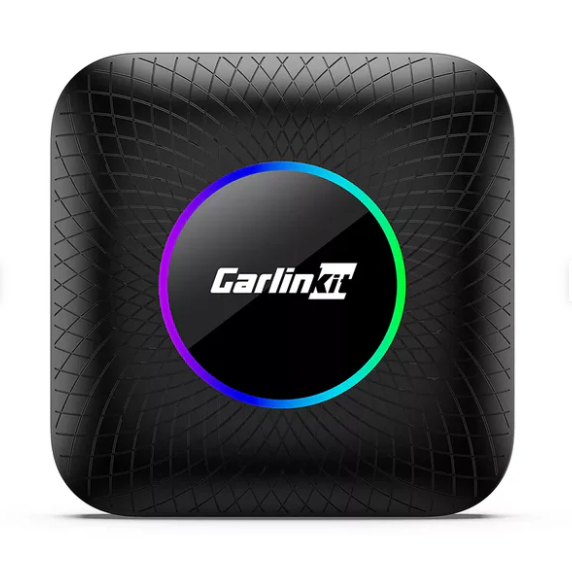
Explore Carlinkit’s range of wireless CarPlay adapters to find the perfect fit for your car
Frequently Asked Questions
Does a wireless CarPlay adapter impact sound quality?
High-quality adapters use Wi-Fi for data transmission, which has significantly higher bandwidth than Bluetooth. This allows for lossless audio transmission, meaning your music quality should remain indistinguishable from a wired connection.
Can I use multiple phones with one adapter?
Yes, most adapters can pair with multiple phones, but they can only connect to one device at a time. The adapter will usually connect to the last used device automatically. You can switch between phones by disconnecting Bluetooth on the current device.
Do these adapters work with Android phones?
Standard CarPlay adapters are for iPhones only. However, 2-in-1 adapters like the Carlinkit 5.0 support both wireless CarPlay (for iPhone) and wireless Android Auto (for Android phones).
Will the adapter drain my battery?
Because your phone is transmitting data wirelessly, it will consume battery faster than if it were idle. For short trips, this is negligible. For longer drives, it is recommended to use a wireless charging pad or a separate car charger.
What happens if my car doesn't have wired CarPlay?
If your car does not have factory-wired CarPlay, a standard wireless adapter will not work. You would need to install an aftermarket head unit that supports CarPlay or use a standalone CarPlay screen that mounts to your dashboard.
Recent Blogs
-

Practical Car Accessories for Long-Distance Travel
Discover practical car accessories for long-distance travel, from tire inflators and emergency kits to phone mounts, chargers, and portable CarPlay screens. Learn what’s worth buying for a safer, more comfortable road trip.
-

Road Trip Essentials for a Comfortable Drive
Prepare for a more comfortable road trip with essential car safety checks, emergency supplies, travel comfort tips, and smart navigation gear. Discover what to pack, how to stay alert, and optional gadgets for exploring your destination.
-

Best Car Care Products for Maintaining Your Vehicle
Discover the best car care products for cleaning, protecting, and maintaining your vehicle. Learn which essentials are worth buying, avoid common mistakes, and keep your car looking great while supporting long-term performance.
-
Useful Car Gadgets for Everyday Driving
Discover useful car gadgets for safer, easier everyday driving, from dash cams and tire inflators to jump starters and CarPlay screens. Find practical upgrades that fit your car, budget, and driving needs.
-
Essential Car Accessories Every Driver Should Consider
Discover essential car accessories every driver should consider, from safety kits and jump starters to phone mounts, dash cams, and CarPlay upgrades.