Best Wireless CarPlay Adapter: A Buyer's Guide for Daily Drivers

Find the best wireless CarPlay adapter for your daily drive with this guide to Ottocast’s top options, including features, pricing, compatibility, and buying tips.
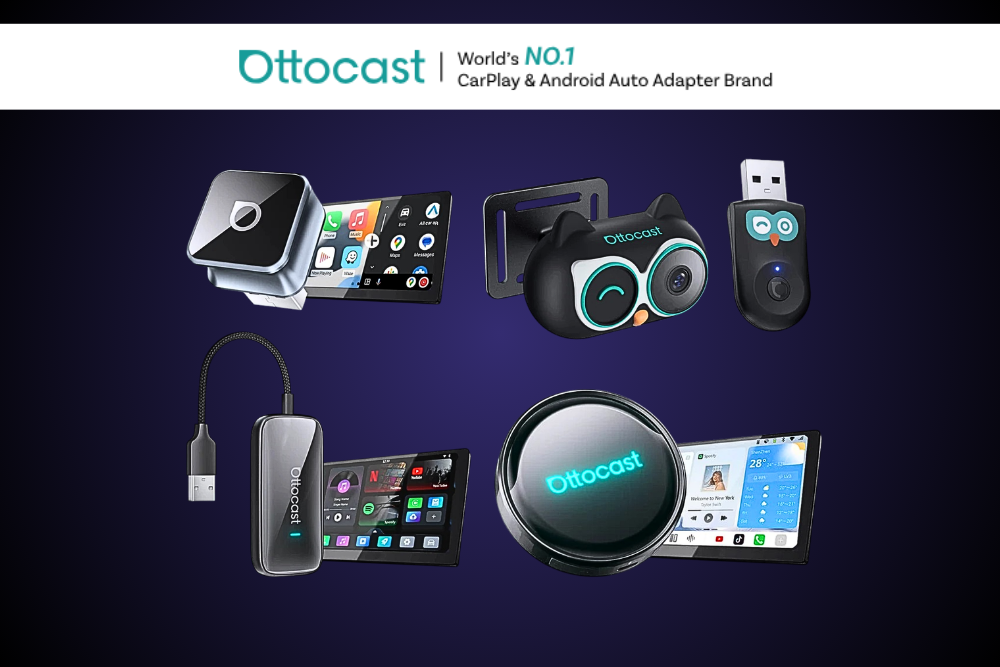
You slide into the driver's seat, coffee in one hand, phone in the other. Then comes the ritual: fish out the cable, plug in, wait for CarPlay to load. Every single trip. If that small daily friction has worn thin, the best wireless CarPlay adapter can erase it for good. These little devices convert your car's factory wired CarPlay into a wireless connection, so navigation and music just appear the moment you start driving. This guide compares Ottocast's most popular options so you can match the right one to your car and your budget.
Why Going Wireless Actually Matters
The upgrade sounds minor. In practice, it changes how your car feels every day.
A wireless connection means your phone links to the dashboard automatically over Bluetooth and Wi-Fi. No plugging in, no fraying cables, no cluttered charging port. You get in, and CarPlay is simply there.
That convenience adds up. Fewer distractions before you pull away, a cleaner console, and one less thing to think about on rushed mornings.
Ottocast has focused on this space since launching wireless adapters in 2019, and its devices have been featured by PCMag, CNET, 9to5Mac, and AppleInsider. So there's a track record behind the lineup.
Ottocast Adapter Comparison at a Glance
Before the details, here's how the main options stack up. Prices reflect current listings shown on the Ottocast site.
You can explore the full wireless adapter range to see each in detail.
Turning Features Into Real-World Benefits
Specs only matter when they change your drive. Let's translate the top three picks.
Mini Cube 3.0: The Sensible Default
The Mini Cube 3.0 sits at the sweet spot for most people, priced at $44 with 554 reviews behind it.
- Feature: Plug-and-play wireless CarPlay and Android Auto.
- What it does: Connects your phone to the dashboard automatically each drive.
- Why it matters: You skip the cable ritual without fussing over setup.
- Who benefits: Everyday commuters who want a reliable, no-drama upgrade.
Its compact size keeps your dash tidy, and it covers both iPhone and Android households in one device.
U2AIR Pro: The Considered Step Up
The U2AIR Pro lands at $59 with 597 reviews, making it the choice for buyers who want a bit more.
- Feature: Wireless CarPlay in a refined package.
- What it does: Delivers the same cable-free connection with a slightly premium feel.
- Why it matters: It suits drivers who prioritize a polished experience.
- Who benefits: iPhone users happy to pay more for a step above the basics.
If you're an Apple household and want to stay CarPlay-focused, this one earns a close look.
Mini Adapter: The Budget Entry Point
The Mini Wireless Adapter is the wallet-friendly pick at $39, and it carries the most reviews on this list at 813.
- Feature: Straightforward wireless CarPlay and Android Auto.
- What it does: Handles the core job of cutting the cable.
- Why it matters: It proves the concept without a big spend.
- Who benefits: First-timers testing wireless before committing more.
Available in Black, White, and Mint Green, it also lets you match your interior.
Curious which fits your setup?

Check the current adapter options
Who Should Buy Which
Matching the adapter to your habits makes the choice simple.
- Buy the Mini Cube 3.0 if you want the best balance of price, reliability, and dual-phone support.
- Buy the U2AIR Pro if you're an iPhone user willing to spend a little more for a refined experience.
- Buy the Mini adapter if you're on a tight budget or just want to try wireless first.
- Look at Cabin Care or Play2Video Ultra if you want more features or in-car entertainment beyond standard CarPlay.
Answer one question first: how much do you want to spend, and do you need Android Auto too? That usually settles it.
Things to Consider Before You Buy
A wireless adapter is a simple upgrade, but a couple of details matter.
Vehicle compatibility comes first. These adapters work with cars that already support factory wired CarPlay. If you're unsure, run your car through the Ottocast vehicle compatibility checker before ordering.
Check your USB port type. Ottocast adapters plug into your car's USB-A or USB-C port, so confirm which your vehicle uses.
Remember what these do and don't do. They convert existing wired CarPlay to wireless. They don't add CarPlay to a car that never had it.
Honest Pros and Cons
No product is perfect for everyone. Here's a straight look.
Pros
- Removes the daily cable routine entirely
- Plug-and-play setup with no tools needed
- Options from $39, so there's an entry point for most budgets
- Strong review counts, plus coverage from PCMag, CNET, 9to5Mac, and AppleInsider
- Backed by 30-day returns, which lowers the risk of trying one
Things to consider
- Requires a car with existing factory-wired CarPlay
- Wireless connections can occasionally need a reconnect
- Premium models cost more, so match spend to your needs
- Feature-rich options like Play2Video Ultra go beyond simple adapters
Frequently Asked Questions
Does a wireless CarPlay adapter work with any car?
It works with vehicles that already support factory wired CarPlay. The adapter converts that wired connection to wireless. If your car never had CarPlay, an adapter alone won't add it. Use Ottocast's compatibility checker to confirm your specific model before buying.
Which Ottocast adapter is best for most daily drivers?
For most people, the Mini Cube 3.0 ($44) hits the sweet spot. It offers plug-and-play wireless CarPlay and Android Auto, dual-phone support, and a compact design, backed by 554 reviews. Budget shoppers can start with the $39 Mini adapter instead.
How do I set up a wireless CarPlay adapter?
Setup is designed to be simple. You plug the adapter into your car's USB port, then connect your phone over Bluetooth and Wi-Fi. No tools are needed, and there's no need to take your car apart. After the first pairing, it reconnects to each drive.
Is the U2AIR Pro worth the extra cost over the Mini adapter?
It can be, depending on your priorities. The U2AIR Pro (59) suits iPhone users who want a more refined, CarPlay-focused experience. The Mini adapter (39) covers the core job for less and adds Android Auto. If budget is tight, start with the Mini.
Do these adapters support both iPhone and Android?
Several do. The Mini Cube 3.0 and the Mini adapter both list wireless CarPlay and Android Auto support. The U2AIR Pro is positioned as a wireless CarPlay adapter. Always check the specific product page to confirm support for your phone.
Will a wireless adapter fit my car's USB port?
Ottocast adapters connect through your car's USB-A or USB-C port. Check which port your vehicle uses, then confirm on the product page. Most modern cars with wired CarPlay include a compatible smart USB port, so fit is rarely an issue.
Final Recommendation
The best wireless CarPlay adapter is simply the one matched to your car and your budget. For most daily drivers, the Mini Cube 3.0 is the smart default: affordable, dependable, and dual-phone friendly. Tight on budget? The $39 Mini adapter gets you wireless for less. Want a step up on an iPhone? The U2AIR Pro delivers.
Start by confirming your car supports factory wired CarPlay, then pick the option that fits how you drive. When you're ready, explore the Ottocast adapter lineup and choose the one that ends the cable ritual for good.
Recent Blogs
-

Best Ebanel Products for Acne Scars: A Practical Buyer's Guide
Compare the best Ebanel products for acne scars, from Scar Master to AHA/BHA peeling gel, and find the right option for fading marks, treating breakouts, and improving skin texture.
-

BLUVALL eBike Review: Power, Range, and Real Value Under $1,000
Explore this BLUVALL eBike review to compare the R700, SU8, K10 Trail, and B1 Pro, with key specs, real-world benefits, pros, cons, and buying tips.
-

Best LED Light Bars for Trucks: A Practical Buyer's Guide
Compare the best LED light bars for trucks, from spot and flood beams to combo pods, with practical tips for sizing, mounting, wiring, and choosing Nilight options.
-
Best Wireless CarPlay Adapter: A Buyer's Guide for Daily Drivers
Find the best wireless CarPlay adapter for your daily drive with this guide to Ottocast’s top options, including features, pricing, compatibility, and buying tips.
-
Best Shower Filter: A Practical Buyer's Guide for Cleaner Water
Find the best shower filter for hard water, heavy metals, well water, or a spa-like experience with this practical AquaHomeGroup buying guide.