Must-Have Tech for a Better Home Entertainment Setup

Discover the must-have tech for a better home entertainment setup, from TVs and soundbars to HDMI connections, ambient lighting, and room comfort. Learn how to choose the right equipment, compare options, and build an enjoyable entertainment space without overspending.
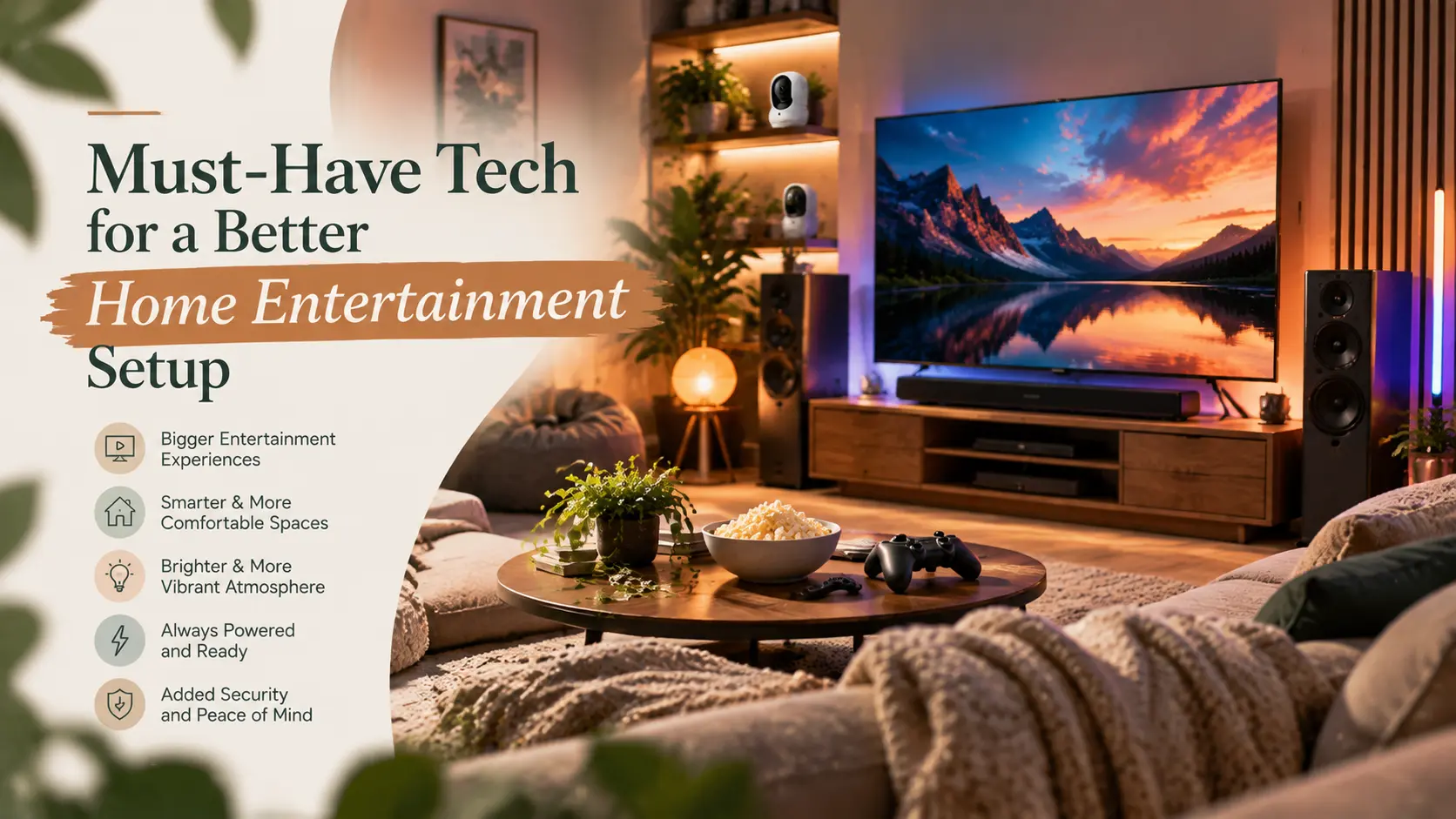
A good home entertainment setup is rarely about owning the most expensive gear. It is about buying the right things in the right order, then fitting them to your room. Many people spend heavily on a large screen, then leave the sound to tiny built-in TV speakers. Others buy a premium soundbar and place it where it can’t be heard properly.
This guide covers the tech that makes the biggest difference, how the main options compare, and the mistakes worth avoiding. It also points to a few retailers where the products are sold.
Affiliate Disclosure: Some links in this article are affiliate links. If you purchase through these links, Weekend Smash may earn a commission at no additional cost to you.
Quick Answer: What Should You Buy First?
Buy in this order:
- A TV sized for your seating distance.
- Better sound, usually a soundbar.
- The right connections and a stable stand or wall mount.
- Lighting to control glare and mood.
- Comfort improvements such as airflow.
If you can only upgrade one thing, upgrade the sound before spending more on screen size.
What Does a Good Home Entertainment Setup Include?
A complete setup has five layers. Each one affects how the others perform.
- Screen: A TV or projector.
- Sound: Built-in TV speakers, a soundbar, or a speaker system with an AV receiver.
- Sources and connections: Streaming devices, game consoles, Blu-ray players, and the HDMI cables linking them.
- Placement: A stand, bracket, and seating position.
- Environment: Lighting, temperature, and noise.
Most disappointing setups fail at the layer that was skipped, not the one that was bought.
How to Choose the Right TV
The TV is the centrepiece, but the best one depends on your room more than on a spec sheet.
What TV Size Suits Your Room?
The short answer: The further you sit, the bigger the screen can be. Many TV reviewers suggest the screen should fill roughly 30 to 40 degrees of your field of view. RTINGS publishes a size-to-distance guide if you want to check your own numbers.
A practical way to test this:
- Measure the distance from your sofa to the wall where the TV will sit.
- Compare that with the size guides from a TV reviewer.
- Mark the screen’s width on the wall with masking tape to see how it feels.
A very large TV in a small room can look impressive in a shop and tiring at home.
OLED, QLED, and LED: How Do They Differ?
Model-level specifications matter more than the label. Two TVs with the same panel name can perform very differently.
Which TV Features Matter for Gaming?
If you own a PlayStation or Xbox, check for these features on the TV’s specification page, since the HDMI 2.1 label alone can be confusing:
- 4K at 120Hz: Support on at least one HDMI port.
- Variable Refresh Rate (VRR): Helps smooth out frame-rate dips.
- Auto Low Latency Mode (ALLM): Switches the TV to its fast game mode automatically.
T3’s HDMI 2.1 explainer covers why these features matter for console players.
Not everyone needs them. If you mainly stream films and watch broadcast TV, they won’t change much.
Where to Browse TVs
Hughes is a UK electricals retailer. Its TV range spans OLED, QLED, QNED, and gaming TVs, with brands such as LG, Samsung, TCL, and Hisense listed on the site. It also lists projectors and monitors.
It suits UK shoppers who want to compare several brands in one place. The site also lists free installation on selected products and a price match promise. Check the exact terms and whether your item qualifies before ordering, as these can change. Delivery details apply to UK addresses.
Soundbar or AV Receiver: Which Is Better?
The short answer: For most living rooms, a soundbar is the simpler and cheaper upgrade. An AV receiver with separate speakers suits people who want more control and have the space and budget.
Flat TVs have very little room for speakers, so built-in audio is rarely a strength. Better sound often improves a film or game more than extra screen size does.
Soundbar vs. AV Receiver and Speakers
Why Does HDMI eARC Matter?
eARC (enhanced Audio Return Channel) is an HDMI feature that sends audio from the TV back to a soundbar or receiver over one cable. Compared with standard ARC, it can carry higher-quality audio formats.
Hi-Fi’s guide to ARC and eARC explains the differences in detail.
Before buying, check that both the TV and the soundbar support eARC, and note which HDMI port on the TV carries it. If you want Dolby Atmos, confirm the specific audio formats each device supports.
Where to Browse Audio Equipment
Hughes also lists soundbars, including Dolby Atmos models, AV amplifiers and receivers, HiFi and AV speakers, Bluetooth and smart speakers, turntables, and headphones.
This makes it a practical place to compare a soundbar against a receiver-based setup without switching stores.
Explore Hughes’ home cinema and audio ranges.
Connections, Stands, and Cable Basics
These items cost relatively little and can prevent many frustrating problems.
- HDMI cables: Use cables rated for the features you need. An old cable can limit a new console or TV.
- Port planning: Put the device that needs the best connection, often a console, on the TV’s most capable HDMI port.
- Stand or bracket: Check the weight and mounting pattern before buying. A wall mount should match your wall type.
- Cable management: Plan power and cable routes before mounting. It is much harder afterwards.
- Streaming source: A modern TV may already include apps. A separate streaming box helps mainly if the built-in software is slow or outdated.
Hughes lists TV stands, wall brackets, and accessories alongside its TV range, making it easier to match mounting hardware to a TV purchase. Always check the TV’s stated size and weight limits against the bracket.
Lighting That Makes a Room Feel Like a Cinema
Light affects how a screen looks and how a room feels.
How Can You Reduce Glare and Add Atmosphere?
Start with these simple fixes:
- Use curtains or blinds to control daylight reflections.
- Avoid lamps that reflect directly on the screen.
- Consider soft, dim background lighting behind the TV. This reduces the contrast between a bright screen and a dark wall.
When Does Stage-Style Lighting Make Sense?
Some people want more than a lamp: a party room, a gaming den, or a dedicated media space with colour effects.
Betopper is a lighting retailer focused on stage and theatrical lighting. Its range includes LED light bars, LED PAR lights, moving heads, effect lights, and DMX accessories.
This category suits hobbyists, DJs, and people building a party or event-style room. For a typical living room, it is likely more than you need, and it comes with a few caveats:
- These products are designed for stage use, so check power requirements, mounting, and fixture size.
- DMX control is flexible but has a learning curve.
- Strobe and flashing effects can be uncomfortable for some people and risky for anyone sensitive to flashing lights, so use them carefully.
If you simply want a warm glow behind your TV, a basic LED light strip or lamp will usually do.
Browse Betopper’s lighting options if you want a more dramatic effect.
Keeping a Media Room Comfortable
Electronics produce heat, and a room full of people watching a film gets warm. In a basement, garage conversion, loft, or sunroom, comfort can limit how often you use the space.
Ventilation around consoles, receivers, and amplifiers matters too. Don’t stack equipment tightly without allowing enough airflow.
When Should You Consider Additional Cooling?
For rooms that need cooling or heating, Della Home is a US retailer of HVAC equipment. It sells mini-split systems, central AC, portable and window air conditioners, and tower fans.
Based on its own site, it also advertises free shipping and financing, but you should confirm current terms before buying.
This is a niche consideration, not an essential. It is most relevant to dedicated rooms or spaces without good climate control. Mini-split systems often need professional installation, so check local requirements before buying. If you only need to move air around a living room, a fan may be enough.
Common Home Entertainment Mistakes
Avoid these common mistakes when planning your setup:
- Buying the biggest TV and ignoring sound: Built-in speakers rarely match the screen’s quality.
- Ignoring viewing distance: A screen that is too large or too small for your seating can make viewing less comfortable.
- Trusting the label over the specification sheet: HDMI 2.1 and Dolby Atmos can mean different things on different models.
- Skipping eARC checks: A soundbar may not receive the audio formats you expected.
- Mounting before planning cables: You may end up with visible wires or need to redo the installation.
- Buying specialised extras too early: Get the screen and sound right first.
- Forgetting the shipping region: Confirm that the retailer delivers to your country before you commit.
A Buy-in-Order Home Entertainment Checklist
Follow these steps to build your setup without wasting money:
- Measure the viewing distance and decide on screen size.
- List the devices you’ll connect, such as a console, streaming box, or Blu-ray player.
- Choose a TV with the ports and features you need.
- Pick a soundbar or receiver, and confirm eARC support.
- Choose a stand or bracket that suits the TV’s size and weight.
- Plan cable routes and power sockets.
- Control daylight and add simple background lighting.
- Consider comfort and airflow for the room.
- Add extras only once the basics work well.
Frequently Asked Questions
What Do I Need for a Good Home Entertainment Setup?
At minimum, you need a TV or projector sized for your room, better sound than built-in speakers, correct HDMI connections, and sensible placement. Lighting and comfort come afterwards.
Should I Buy a Soundbar or an AV Receiver?
For most living rooms, a soundbar is simpler and cheaper. An AV receiver with separate speakers suits dedicated rooms and people who want more control over their audio setup.
What TV Size Should I Buy?
It depends on how far you sit from the screen. A common guideline is a screen that fills roughly 30 to 40 degrees of your field of view. Use a size-to-distance guide and test the dimensions with tape on your wall.
What Is eARC?
eARC is an HDMI feature that sends audio from a TV to a soundbar or receiver over one cable. It supports higher-quality audio than standard ARC. Both devices must support it.
Do I Need HDMI 2.1?
Only if you need features such as 4K at 120Hz, VRR, or ALLM, which mainly matter for current-generation console gaming. For general streaming and TV, these features are less important.
Is a Projector Better Than a TV?
A projector can produce a very large image, but it generally needs better light control and more careful setup. A TV is usually easier to use in bright rooms.
Is It Better to Wall-Mount a TV?
Wall-mounting saves floor space and can improve viewing height, but it requires the right bracket, wall type, and cable planning. A good stand is perfectly suitable for many rooms.
Final Thoughts
A better home entertainment setup comes from priorities, not budgets. Choose a screen that fits your room, improve the sound, check your connections, and then add lighting and comfort.
Stores such as Hughes cover the main components, while Betopper and Della Home offer specialised options for atmosphere and comfort upgrades.
Start with the checklist above, and add extras only when the basics are working well.
Recent Blogs
-

Practical Car Accessories for Long-Distance Travel
Discover practical car accessories for long-distance travel, from tire inflators and emergency kits to phone mounts, chargers, and portable CarPlay screens. Learn what’s worth buying for a safer, more comfortable road trip.
-

Road Trip Essentials for a Comfortable Drive
Prepare for a more comfortable road trip with essential car safety checks, emergency supplies, travel comfort tips, and smart navigation gear. Discover what to pack, how to stay alert, and optional gadgets for exploring your destination.
-

Best Car Care Products for Maintaining Your Vehicle
Discover the best car care products for cleaning, protecting, and maintaining your vehicle. Learn which essentials are worth buying, avoid common mistakes, and keep your car looking great while supporting long-term performance.
-

Useful Car Gadgets for Everyday Driving
Discover useful car gadgets for safer, easier everyday driving, from dash cams and tire inflators to jump starters and CarPlay screens. Find practical upgrades that fit your car, budget, and driving needs.
-

Essential Car Accessories Every Driver Should Consider
Discover essential car accessories every driver should consider, from safety kits and jump starters to phone mounts, dash cams, and CarPlay upgrades.