Tech Accessories Worth Having at Home and on the Go

Discover tech accessories worth having at home and on the go, from power banks and USB-C cables to headphones, dash cams, soundbars, and smart security cameras. Learn what to check before buying to find practical, reliable gadgets that fit your needs and budget.
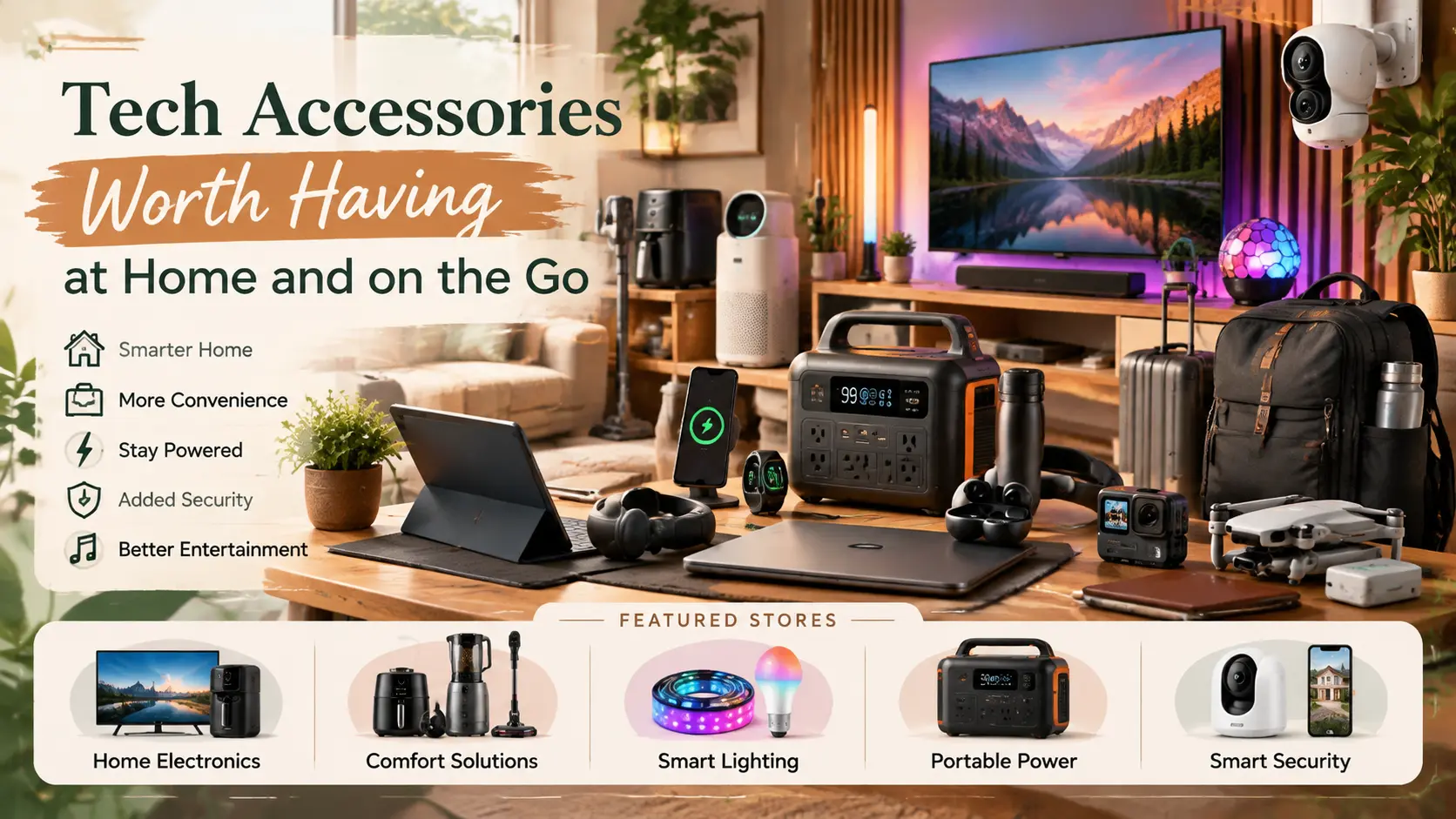
Most people don’t need another gadget. They need the few small things that fix a problem they hit every week. That might be a phone that dies by mid-afternoon, a cable that frays at the connector, a TV whose dialogue is hard to follow, or a front door they can’t see from the sofa.
This guide sorts accessories by where they earn their place, on the move or around the house. It also explains what to check before you buy, so your money goes to the right things first.
Affiliate Disclosure: Some links in this article are affiliate links. If you purchase through these links, WeekendSmash may earn a commission at no additional cost to you.
This is an editorial buying guide. Product details come from each brand’s own website, and we don’t claim hands-on testing of the items mentioned.
Quick Answer: What Is Actually Worth Buying?
At a glance:
- On the go: A carry-on-friendly power bank, one good USB-C cable, and headphones or a portable speaker that suit how you listen. Frequent drivers can add a dash cam.
- At home: A properly rated, surge-protected power strip or charging station. If audio is your weak spot, add a better TV or music sound system, and a camera or video doorbell if you want to see who’s at the door.
- Skip for now: Anything that duplicates a device you already own, or that needs a subscription you haven’t priced.
Start with the first item in each group and add the rest only when you run into the specific problem.
How to Decide Whether an Accessory Is Worth It
Three questions filter out most impulse buys:
- Will I use it at least weekly? An accessory that solves a daily annoyance repays itself. One for a rare scenario usually doesn’t.
- Does it work with what I already own? Check connectors, charging standards, and app support for your phone, laptop, TV, or car.
- Is it safe and supported? Look for recognised safety marks for your region, a clear warranty, and a working companion app if one is involved.
Compatibility trips people up most. A USB-C plug tells you the shape of the connector, not what the cable or charger can do. Charging power and data speed vary widely between products, and the USB Implementers Forum maintains the USB-C and USB Power Delivery specifications. Look for stated wattage on chargers and cables, especially if you plan to charge a laptop.
Accessories Worth Carrying on the Go
A Power Bank You Can Take on a Plane
Direct answer: Power banks rated 100 Wh or less are generally accepted in carry-on luggage without airline approval. They are not allowed in checked bags. The FAA’s PackSafe guidance covers the baseline rules.
Capacity is often printed in mAh, so convert it:
Wh = mAh × voltage ÷ 1,000
A 20,000 mAh bank at a nominal 3.7 V works out to roughly 74 Wh, comfortably under the line. A 27,000 mAh bank sits right at about 100 Wh.
Airlines can add their own rules on top. Several set limits on how many power banks you can carry or whether you can use them in flight. Several carriers changed these policies during 2026, so check your airline before you travel.
Beyond capacity, match the output to what you charge:
- Phone only: A smaller, lighter bank is easier to carry every day.
- Phone and tablet: A mid-size bank with two ports is enough.
- Laptop: Check the output wattage your laptop needs and look for a bank that states it.
Cables and a Compact Wall Charger
One reliable cable in the length you actually use beats a drawer of mismatched ones. Choose cables that state their power and data ratings.
For the wall charger, a multi-port model replaces several bricks, though the total power is usually shared when several ports are in use. Check that the figure covers your most demanding device.
Headphones and Portable Speakers
Fit and comfort matter more than spec sheets. If you commute, noise cancellation can help. If you take calls, check how the microphone is described. For battery life, compare the manufacturer’s stated figures, and remember that real results vary with volume and features.
Portable speakers trade size against volume. A compact one suits a desk or a picnic. A larger one suits a garden.
Hughes is a UK electricals retailer with stores in East Anglia and an online shop. Its audio range includes in-ear, over-ear, and wireless headphones, plus Bluetooth speakers. It suits UK shoppers who want to compare several types in one place.
See what Hughes stocks in headphones and portable audio.
Check delivery options and coverage at checkout.
A Dash Cam for the Car
A dash cam records the road ahead (and sometimes the cabin and rear), so you have footage if there’s a collision or dispute. It is most useful for people who drive daily, park on the street, or share a car.
These are the factors that actually separate models:
- Coverage: Front-only, front and cabin, or three or four channels.
- Night performance: Look at sensor and lens details, not just resolution.
- Loop recording and event lock: Footage should overwrite automatically, and impact clips should be protected.
- Parking mode: This needs constant power, usually through a hardwire kit or a battery solution.
- Storage: Use a high-endurance microSD card rated for continuous writing.
- Local rules: Laws on windshield mounting and audio recording differ by country and state.
Botslab sells AI-enabled dash cams alongside home security cameras and video doorbells. Its site lists the G980H four-channel bundle with a 3K front camera, 24/7 parking protection, GPS, and voice control. It also lists the G300H Plus, described as a 4K model, and sells related accessories such as SD cards, polarizing filters, and hardwire kits.
Multi-channel setups mean more cable routing and installation, so they suit drivers who want wider coverage and are happy to fit them properly.
Explore Botslab’s dash cam range.
Accessories That Earn Their Place at Home
Safe, Surge-Protected Power
A single wall socket often feeds a TV, console, speaker, and chargers. A good extension lead or charging station tidies that up, but only if it’s rated for the load.
- Check the total power rating against what you’ll plug in.
- Look for the safety marks used in your region, such as UKCA or CE in the UK and EU, or UL or ETL in the US.
- Don’t daisy-chain one strip into another.
- Treat surge protection as a bonus feature, not a reason to ignore the rating.
Hughes lists extension leads, adaptors, and computer accessories among its general accessories. That’s handy if you’re already buying a TV or audio gear.
Better Sound for TV and Music
Flat TV speakers are the most common complaint in this category. A soundbar is the simplest fix. A smart or Bluetooth speaker is better if you mostly stream music.
Before buying, check:
- Ports: Which HDMI, optical, or eARC connections your TV offers.
- Room size: A small bedroom needs less than an open-plan lounge.
- Mounting: Whether you need a stand or wall bracket as well.
Hughes carries soundbars (including Dolby Atmos models), smart speakers, hi-fi systems, TV stands and wall brackets, and replacement remotes.
Browse audio and TV accessories at Hughes.
Cameras and Video Doorbells
A video doorbell shows who is at the door. Outdoor and indoor cameras cover the wider property. They suit households that receive deliveries, want to check on a driveway, or want to keep an eye on pets.
These choices have the biggest effect on whether the device works for you:
- Power: Wired, battery, or solar. Battery and solar models are easier to place but need charging or sunlight.
- Storage and cost: Local storage, cloud storage, or both. Check whether smart features need a paid plan.
- Field of view and night vision: A wider view helps at doors, and the camera should show faces after dark.
- Wi-Fi: Confirm the signal reaches where you’ll mount it.
- Detection: Person, vehicle, or package alerts reduce false alarms.
- Privacy: Aim cameras at your own property. In the UK, the ICO’s domestic CCTV guidance explains that cameras recording beyond your boundary bring data protection responsibilities. Masking zones and careful angles help.
Botslab’s range covers outdoor cameras, indoor cameras, a window camera, and video doorbells. Its W510 system is built around multi-camera kits, and its R810 series covers doorbells. Its site also lists a solar panel accessory for its doorbell.
Confirm current specs, storage options, and any subscription terms on the product page.
Browse Botslab’s cameras and video doorbells.
Hughes also lists video doorbells and cameras in its home security category, which is useful if you want to compare brands side by side in the UK.
Check its current home security range.
Which Accessory Fits Which Situation?
Common Mistakes to Avoid
- Buying on mAh alone: Watt-hours, output wattage, and weight tell you more.
- Assuming all USB-C is equal: Two identical-looking cables can charge at very different speeds.
- Forgetting the power plan for parking mode: A dash cam needs a source of constant power to record while parked.
- Ignoring storage costs: Cameras can need big memory cards or cloud plans.
- Pointing cameras at neighbours or the street: Review local privacy rules first.
- Skipping return policies: Fit, sound, and Wi-Fi range are hard to judge from a page, so check the return window.
What to Buy First
- Fix the daily annoyance: That is usually a reliable cable and a power bank.
- Make home power safe: Replace overloaded or unrated extension leads.
- Upgrade the thing you use most: For some people that’s audio. For others it’s the car or the front door.
- Add specialist gear last: Multi-camera systems and multi-channel dash cams are worth it when you have a clear use.
Frequently Asked Questions
What Tech Accessories Are Actually Worth Buying?
Those that solve a problem you face weekly: a power bank, a quality USB-C cable, suitable audio, safe home power, and, for some people, a dash cam or home camera.
How Big a Power Bank Can I Take on a Plane?
Generally, up to 100 Wh in carry-on without airline approval, and never in checked baggage. Airlines can limit the number you carry or in-flight use, so check yours.
Does the USB-C Cable Really Matter?
Yes. Cables differ in charging power and data speed even when they look the same. Choose ones that state their ratings.
Is a Dash Cam Worth It?
It’s most valuable for frequent drivers and street parkers. Decide on coverage, night performance, parking-mode power, and storage before comparing models.
Do Video Doorbells and Home Cameras Need a Subscription?
It depends on the product. Some store footage locally, while some features may need a paid cloud plan. Check the product page before you buy.
Is It Legal to Point a Security Camera at the Street?
Rules vary by country and region. In the UK, the ICO says that recording beyond your property boundary brings data protection obligations. Check the rules where you live.
The Bottom Line
Good accessories are the quiet ones: they fix a recurring problem and then fade into the background. Start with power and cables, then add audio, then add cameras or a dash cam if they match how you live.
If you want to compare options, Hughes offers a broad UK electricals range for audio and home gear, and Botslab focuses on dash cams, cameras, and doorbells. Check current specs and terms before you buy.
Recent Blogs
-
Practical Car Accessories for Long-Distance Travel
Discover practical car accessories for long-distance travel, from tire inflators and emergency kits to phone mounts, chargers, and portable CarPlay screens. Learn what’s worth buying for a safer, more comfortable road trip.
-

Road Trip Essentials for a Comfortable Drive
Prepare for a more comfortable road trip with essential car safety checks, emergency supplies, travel comfort tips, and smart navigation gear. Discover what to pack, how to stay alert, and optional gadgets for exploring your destination.
-
Best Car Care Products for Maintaining Your Vehicle
Discover the best car care products for cleaning, protecting, and maintaining your vehicle. Learn which essentials are worth buying, avoid common mistakes, and keep your car looking great while supporting long-term performance.
-
Useful Car Gadgets for Everyday Driving
Discover useful car gadgets for safer, easier everyday driving, from dash cams and tire inflators to jump starters and CarPlay screens. Find practical upgrades that fit your car, budget, and driving needs.
-
Essential Car Accessories Every Driver Should Consider
Discover essential car accessories every driver should consider, from safety kits and jump starters to phone mounts, dash cams, and CarPlay upgrades.